
Price movement is a series of tops and bottoms, the price runs from one bottom/top to another is called a cycle and each cycle has the similar length. MetaTrader has an excellent tool to help you identify the market cycles.
Now we use EURUSD 4 hours chart to explain how to find the market cycle bottom.
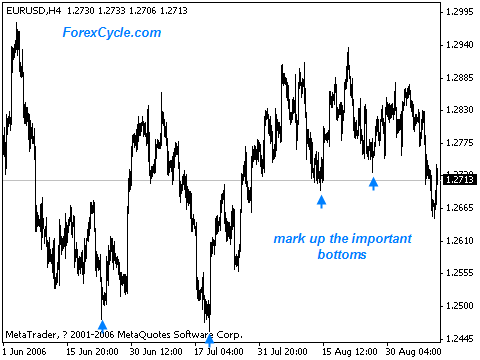
Step 1: Run MetaTrader, look at the EURUSD chart and mark up the important bottoms.
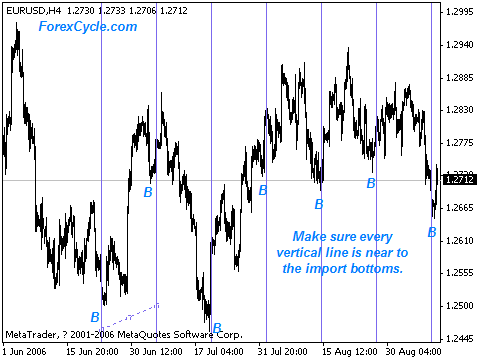
Step 2: Press the “cycle line” button on the tool bar to draw a series of vertical line. Make sure every vertical line is near to the import bottoms.
See also:
How To Use MACD
Forex Trading Strategy
Learn how to day trade/swing trade major currency pairs.
Institutional Forex System
If you insist on trading forex, I will show you 3 trades that will make you 10-30% every month with 93.3% accuracy.
How to draw a price channel
Help you to draw price channels with MetaTrader.
Comments are closed.